
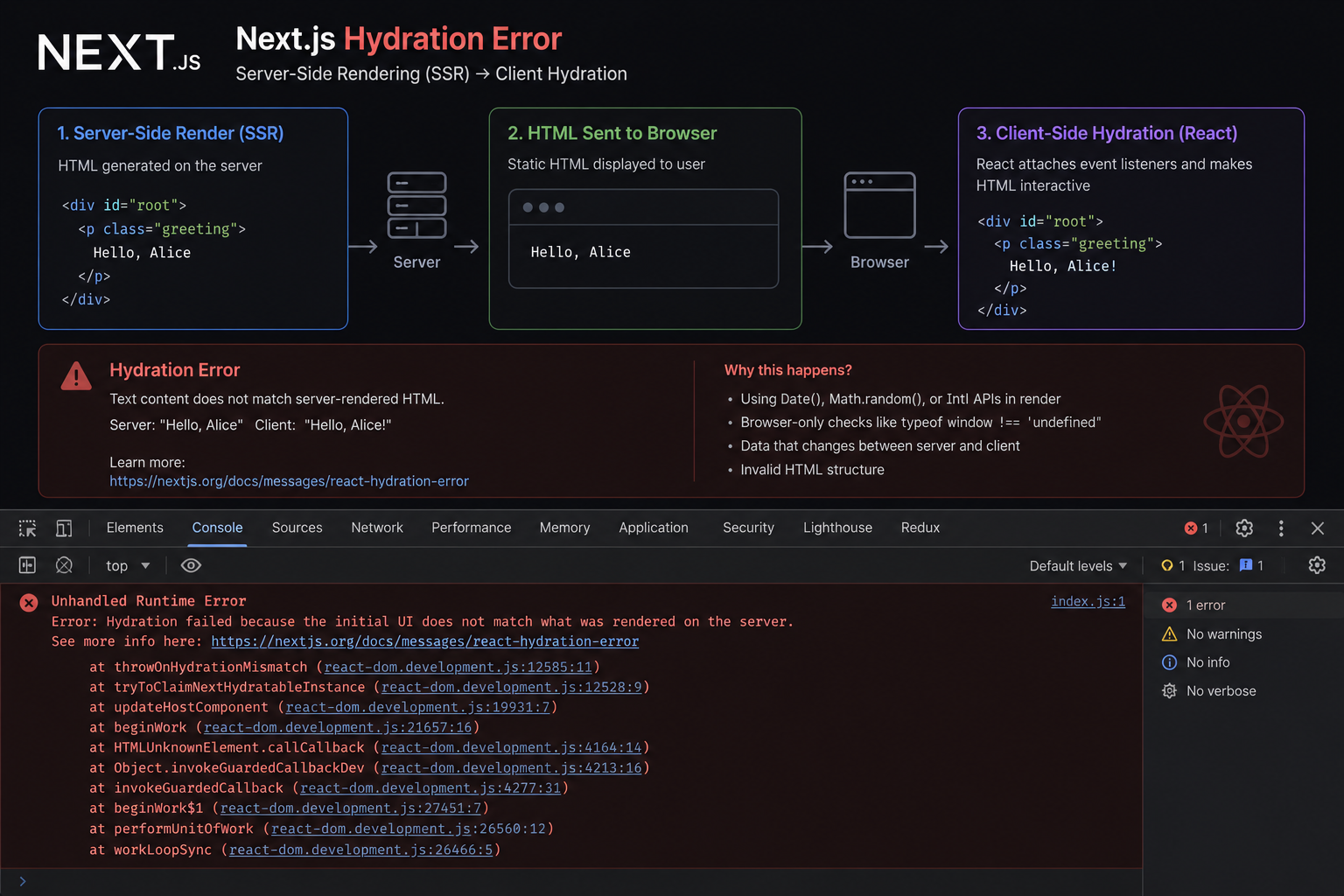
The SSR Error That Costs You the Entire Page
Text content did not match. Server: '8:00 AM' Client: '8:01 AM'." When React's hydration fails, it discards the entire server-rendered HTML and re-renders from scratch — destroying the performance benefit of SSR. Ebesoh Adrian explains why this happens and the architectural fix that prevents it permanently.
The Error That Undoes Everything
Server-side rendering is one of the most powerful features in Next.js. It lets you send fully formed HTML from the server, which the browser displays instantly before any JavaScript has been parsed or executed. Your users see content in milliseconds. Your SEO score benefits from indexable markup. Everything is better.
And then one day you encounter this:
Warning: Text content did not match.
Server: "8:00 AM"
Client: "8:01 AM"

Error: There was an error while hydrating this Suspense boundary.
And quietly, silently, React does something catastrophic: it throws away all the HTML the server sent, recreates the entire component tree in the browser, and re-renders from scratch.
The performance benefit of SSR? Gone. The user sees a flash of missing content. The operation that was supposed to make your app faster has made it slower and worse.
This is the hydration mismatch error, and understanding it is essential for anyone building production Next.js applications.
What Is Hydration, Exactly?
To understand the mismatch, you first need to understand what hydration means in the context of React and Next.js.
When a Next.js page renders on the server, React generates static HTML and sends it to the browser. The browser displays this HTML immediately — no JavaScript required. The page is visible and readable.
Then the JavaScript bundle loads. React initialises in the browser and looks at the existing HTML. It "hydrates" it — attaching event listeners, wiring up state, and making the page interactive. Crucially, React assumes that the HTML in the browser matches exactly what it would render if it were building the component tree from scratch.
When there is a mismatch — even a single character difference — React cannot reconcile the server HTML with its expected output. It treats this as a corrupted state and discards everything, falling back to a full client-side render.
Why Do Mismatches Happen?
The root cause is almost always content that is inherently different between server and client. The server renders at request time with no knowledge of the client's environment. The client renders after JavaScript loads with access to local state, browser APIs, and the current moment.
Common sources of mismatches:
Time and dates
// ⛔ Server renders "10:23:41 AM", client renders "10:23:42 AM"
function Clock() {
  return <p>{new Date().toLocaleTimeString()}</p>;
}
User-specific content (without proper SSR data fetching)
// ⛔ Server has no localStorage — renders nothing. Client renders a username.
function Greeting() {
  return <p>Hello, {localStorage.getItem("username")}</p>;
}
Random values
// ⛔ Server and client generate different random numbers
function RandomCard() {
  const id = Math.random();
  return <div key={id}>...</div>;
}
Browser-only APIs
// ⛔ window.innerWidth is undefined on the server
function ResponsiveHint() {
  return <p>{window.innerWidth > 768 ? "Desktop" : "Mobile"}</p>;
}
Third-party components that use browser APIs internally Many UI libraries, date pickers, and analytics SDKs access browser-only APIs internally. Using them without guard code causes mismatches even when your own code looks clean.
The Architectural Fix: Deferred Client Rendering
The correct pattern is to render a neutral placeholder on the server (one that both the server and client agree on), then swap in the dynamic content after the component mounts in the browser.
// ✅ THE FIX: isMounted pattern
import { useState, useEffect } from "react";

function Clock() {
  const [isMounted, setIsMounted] = useState(false);

  useEffect(() => {
    // useEffect only runs in the browser, never on the server
    setIsMounted(true);
  }, []);

  // ✅ Server renders <Skeleton /> — matches client's initial render
  // ✅ Client renders <Skeleton /> during initial hydration — no mismatch
  // ✅ After mount, client swaps to <DynamicContent />
  if (!isMounted) return <Skeleton />;

  return <p>{new Date().toLocaleTimeString()}</p>;
}
The key insight: useEffect runs only in the browser, never during server-side rendering. The initial render — both on the server and the client during hydration — always reaches return <Skeleton />. They agree. No mismatch. After hydration is complete, setIsMounted(true) runs, React re-renders with the actual dynamic content, and everything works.
A Reusable ClientOnly Component
Rather than scattering the isMounted pattern everywhere, encapsulate it in a reusable component:
// components/ClientOnly.tsx
import { useState, useEffect, type ReactNode } from "react";

interface ClientOnlyProps {
  children: ReactNode;
  fallback?: ReactNode;
}

export function ClientOnly({ children, fallback = null }: ClientOnlyProps) {
  const [isMounted, setIsMounted] = useState(false);

  useEffect(() => {
    setIsMounted(true);
  }, []);

  if (!isMounted) return <>{fallback}</>;

  return <>{children}</>;
}
// pages/dashboard.tsx
import { ClientOnly } from "@/components/ClientOnly";
import { LiveClock } from "@/components/LiveClock";
import { UserGreeting } from "@/components/UserGreeting";
import { AnalyticsWidget } from "@/components/AnalyticsWidget";
import { ClockSkeleton, GreetingSkeleton } from "@/components/Skeletons";

export default function Dashboard() {
  return (
    <main>
      <h1>Dashboard</h1>

      {/* Server renders ClockSkeleton, client swaps to LiveClock after mount */}
      <ClientOnly fallback={<ClockSkeleton />}>
        <LiveClock />
      </ClientOnly>

      {/* Server renders GreetingSkeleton, client reads localStorage and renders greeting */}
      <ClientOnly fallback={<GreetingSkeleton />}>
        <UserGreeting />
      </ClientOnly>

      {/* Third-party component that uses browser APIs internally */}
      <ClientOnly>
        <AnalyticsWidget />
      </ClientOnly>
    </main>
  );
}
Next.js Built-In: dynamic() with ssr: false
Next.js provides a built-in mechanism for this pattern via the dynamic() import function with the ssr: false option. This is the recommended approach for entire components that should only render on the client.
// pages/dashboard.tsx
import dynamic from "next/dynamic";

// ✅ These components are skipped entirely during SSR
// Next.js handles the loading state and client-only rendering
const LiveClock = dynamic(() => import("@/components/LiveClock"), {
  ssr: false,
  loading: () => <ClockSkeleton />, // Shown during server render AND JS loading
});

const AnalyticsWidget = dynamic(() => import("@/components/AnalyticsWidget"), {
  ssr: false,
  loading: () => <div className="skeleton" aria-label="Loading analytics..." />,
});

export default function Dashboard() {
  return (
    <main>
      <h1>Dashboard</h1>
      <LiveClock />       {/* Renders ClockSkeleton on server, LiveClock on client */}
      <AnalyticsWidget /> {/* Never rendered on server */}
    </main>
  );
}
The difference between dynamic({ ssr: false }) and the manual isMounted pattern:
Approach When to Use dynamic({ ssr: false }) Entire components that should never be server-rendered ClientOnly / isMounted Parts of a component where only some content is dynamic suppressHydrationWarning HTML elements (like timestamps) where a one-off mismatch is acceptable
suppressHydrationWarning: The Escape Hatch
For cases where a mismatch is expected and acceptable — a timestamp, a counter — React provides the suppressHydrationWarning prop as an escape hatch. Use it sparingly.
// ✅ Acceptable for truly minor, contained mismatches
function LastUpdated() {
  return (
    <time suppressHydrationWarning>
      {new Date().toLocaleString()}
    </time>
  );
}
This tells React to ignore any mismatch for this specific element. React will still hydrate normally everywhere else. It does not cause a full re-render of the tree. The caveat: it only works on DOM elements, not on React components.
Diagnosing Hydration Mismatches in Next.js 13+
In Next.js 13 and later with the App Router, hydration errors include more detailed context about what mismatched. The error overlay in development mode shows the server output versus the client output side by side.
To find mismatches in production before they reach users:
// next.config.js
/** @type {import('next').NextConfig} */
const nextConfig = {
  // Strict mode causes double-rendering in development
  // which can surface hydration issues earlier
  reactStrictMode: true,
};

module.exports = nextConfig;
React Strict Mode renders components twice in development. This makes it easier to catch hydration mismatches because any component that produces different output on different renders will be caught immediately.
The Architectural Principle
Hydration mismatches are a symptom of a deeper design tension in server-rendered React applications: the server and client live in fundamentally different environments, and any content that depends on the client environment is inherently dangerous to render on the server.
The architectural rule: if content depends on the browser, the user's state, or the current time, it must either be deferred until after hydration or consistently replaced with a placeholder during the initial render.
Thinking in terms of "what does the server know at render time?" before reaching for localStorage, window, or new Date() becomes second nature over time. When you get there, hydration errors become rare — and when they do appear, you know exactly where to look.
Resources and Further Reading
Next.js — Data Fetching — The official guide to fetching data in App Router vs Pages Router
Next.js — dynamic() — Official docs for dynamic imports with
ssr: falseReact Docs — Hydration — The hydrateRoot API and error handling
React Docs — suppressHydrationWarning — When and how to use the escape hatch
Patterns.dev — Hydration — Deep dive into SSR patterns including streaming and progressive hydration
Josh W. Comeau — The Perils of Rehydration — An excellent visual explanation of this exact problem
Written by Ebesoh Adrian — Fullstack Architect. Building systems that are not just correct, but coherently designed.
Keep reading
 Frontend Engineering
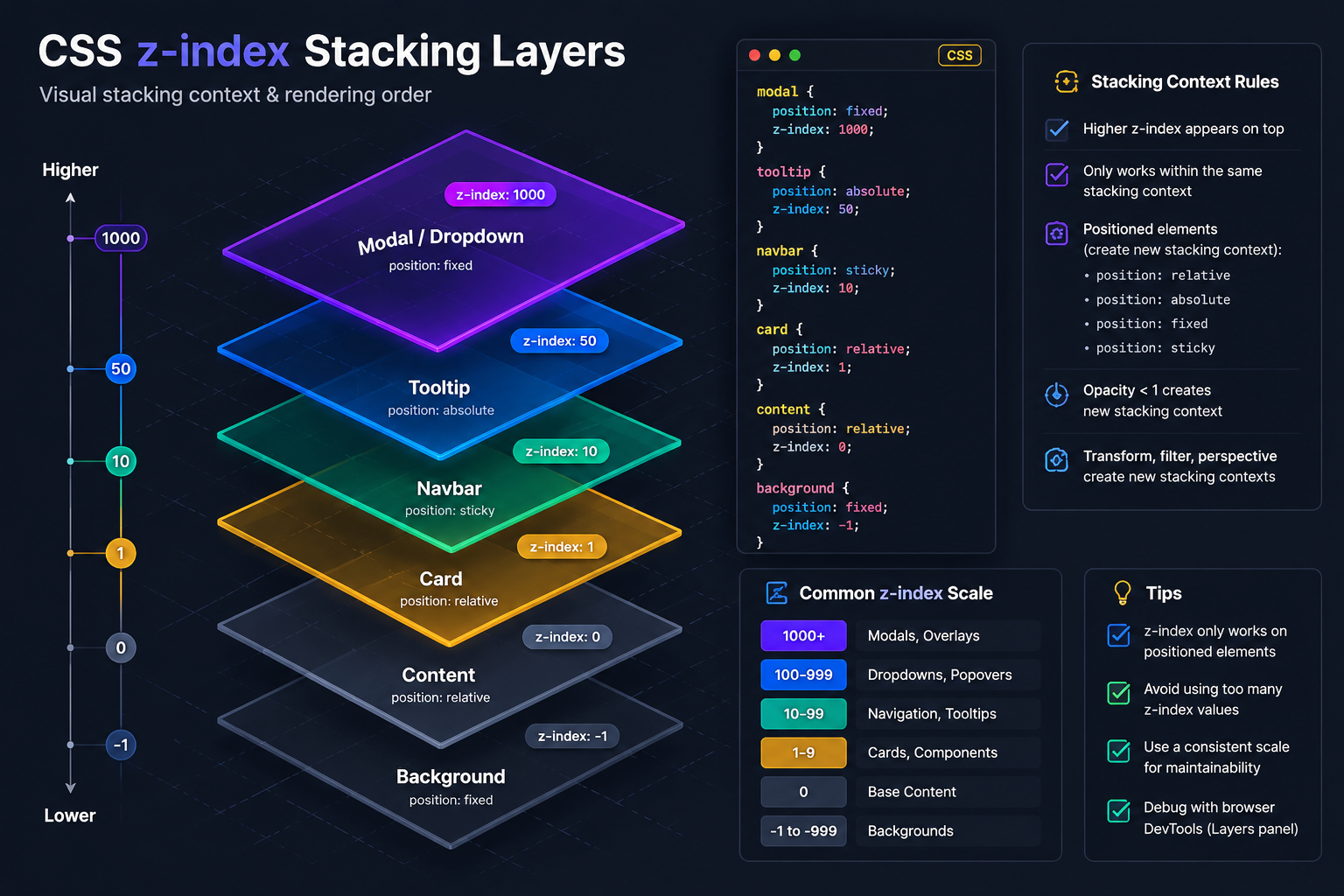
Why Your z-index 9999 Modal Is Behind Everything
You set z-index to 9999 on your modal. Your header has z-index 10. And somehow the modal is still appearing behind the header. Ebesoh Adrian explains the CSS Stacking Context — the invisible rule that makes z-index behave in ways that feel completely irrational until you understand it.
 Frontend Engineering
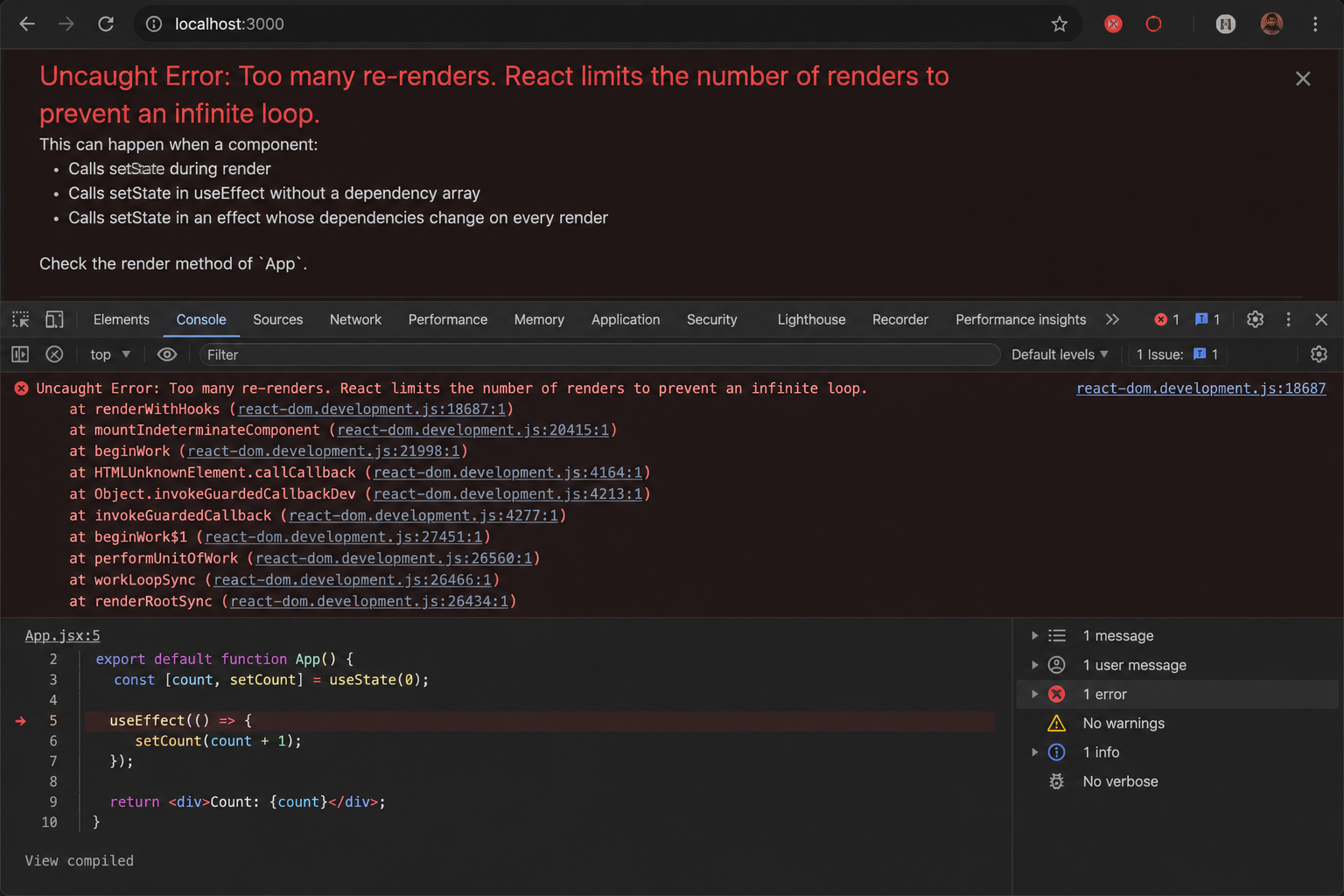
Why Your useEffect Is Firing 1000 Times
You checked your useEffect dependencies. They look right. And yet the component is re-rendering until the browser crashes. Ebesoh Adrian explains the hidden culprit — object reference instability — and the one hook that fixes it permanently.
 Guides / Tutorials (o…
How to Create Your Skilldera Account: A Step-by-Step Guide for African Creators, Affiliates, and Learners.
Ready to start selling on Skilldera? Here's a step-by-step walkthrough — from your first search to your live dashboard — covering sign-up, choosing your role, and setting up your creator storefront with Mobile Money payouts. No card, no stress — just MoMo. This guide walks you through creating your Skilldera account in minutes, whether you're joining as a Creator, Affiliate, or Student.