
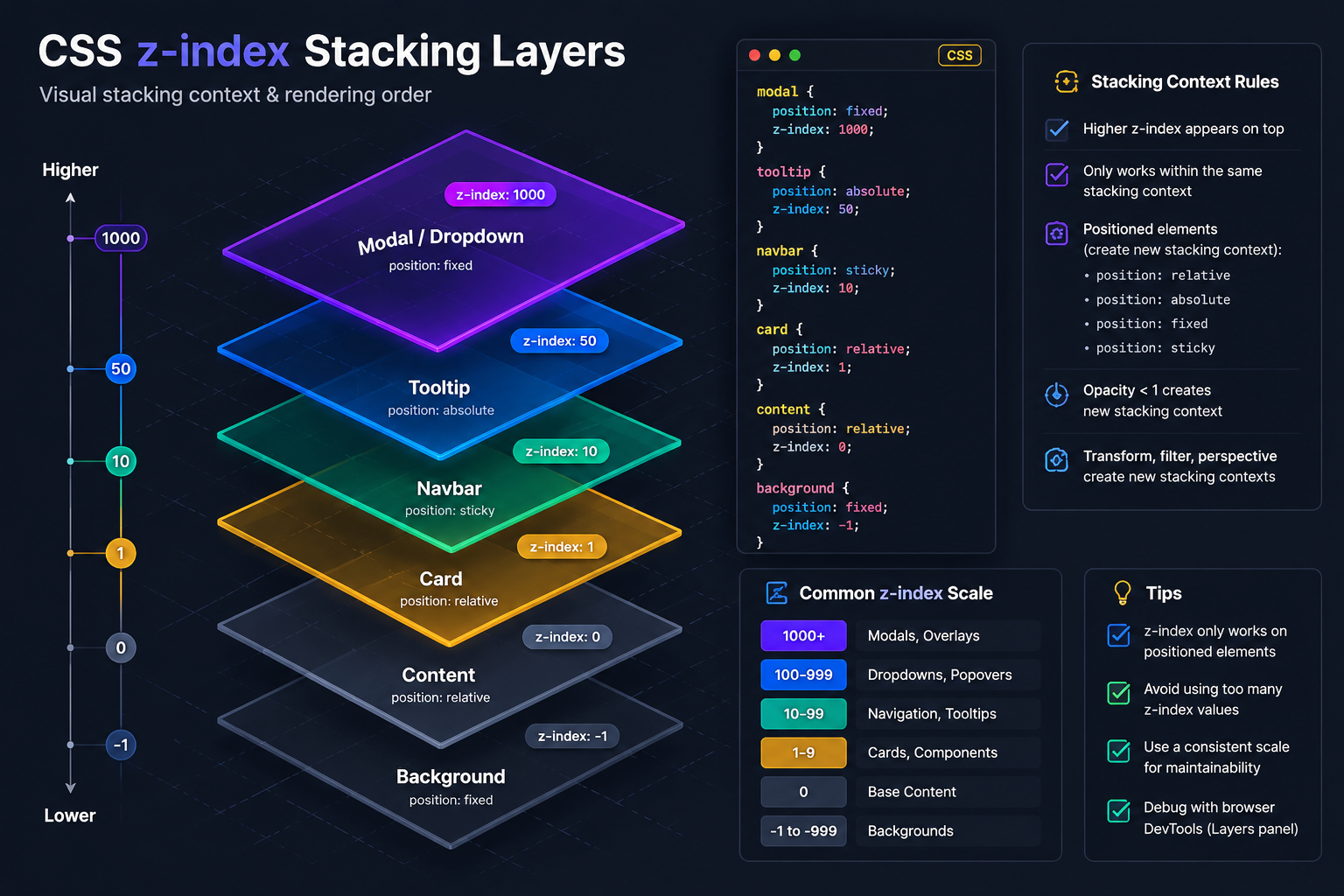
Why Your z-index 9999 Modal Is Behind Everything
You set z-index to 9999 on your modal. Your header has z-index 10. And somehow the modal is still appearing behind the header. Ebesoh Adrian explains the CSS Stacking Context — the invisible rule that makes z-index behave in ways that feel completely irrational until you understand it.

The Bug That Breaks Every Mental Model
I have seen senior developers spend an afternoon on this one. The scenario is always the same: a modal with an astronomically high z-index is being rendered beneath some other element with a comparatively tiny z-index. You look at the numbers. The logic should be obvious. And yet the browser is doing something that appears to defy mathematics.
/* The header with a "small" z-index */
.header {
  z-index: 10;
  position: fixed;
}

/* The modal with a "massive" z-index */
.modal {
  z-index: 9999;
  position: fixed;
}
You open the browser. The modal is behind the header. You increase the modal's z-index to 99999. Still behind. You set it to 2147483647 (the maximum 32-bit integer). Still. Behind. The. Header.
This is not a bug in the browser. It is the CSS Stacking Context at work, and once you understand it, you can never unsee it.
What Is a Stacking Context?
A stacking context is an isolated layer in the browser's rendering system. Think of it as a self-contained painting surface. Elements inside a stacking context are layered relative to each other within that context. They can never, under any circumstances, escape the bounds of their parent context to compete with elements in a different context.
The critical rule is this: z-index comparisons only happen between elements that share the same stacking context parent.
If your modal lives inside a stacking context, its z-index is only meaningful within that context. It does not matter how high the number is — it cannot outrank an element that lives in a different stacking context at a higher level in the DOM tree.
What Creates a Stacking Context? (The Culprit List)
This is the list that trips everyone up, because many of these properties seem completely unrelated to layering:
CSS Property / Value Creates Stacking Context? position: fixed or position: sticky Yes position: relative/absolute + z-index not auto Yes opacity less than 1 Yes transform (any value, including translate(0)) Yes filter (any value) Yes will-change: transform or will-change: opacity Yes isolation: isolate Yes (intentional) mix-blend-mode (any value other than normal) Yes clip-path (any value) Yes mask / mask-image Yes
Notice the highlighted entries. transform: translate(0) is one of the most common performance micro-optimisations applied to animated elements or scroll containers — and it silently creates a stacking context, trapping all children inside it.
The Exact Bug Reproduction
Here is the HTML structure that produces the classic symptom:
<!-- index.html -->
<body>
  <header class="header">
    Site Navigation <!-- z-index: 10, position: fixed -->
  </header>

  <!-- This wrapper has transform applied for a subtle animation -->
  <div class="page-wrapper"> <!-- transform: translateY(0) — creates stacking context! -->
    <main>
      ...content...

      <!-- Modal is INSIDE the page-wrapper stacking context -->
      <div class="modal-overlay"> <!-- z-index: 9999 — trapped! -->
        <div class="modal-content">...</div>
      </div>
    </main>
  </div>
</body>
.header {
  position: fixed;
  z-index: 10;
}

.page-wrapper {
  /* This was added for a smooth page-load animation */
  transform: translateY(0);
  /* ⛔ This quietly creates a new stacking context */
}

.modal-overlay {
  position: fixed;
  z-index: 9999;
  /* ⛔ This z-index is relative to .page-wrapper, NOT to <body> */
  /* The header at z-index: 10 in the root context wins */
}
The browser's logic, step by step:
The root stacking context (the document) contains
.headerat z-index 10.page-wrapper'stransformproperty creates a new stacking context.page-wrapperitself has no z-index, so it is treated as z-index 0 in the root context.modal-overlay's z-index of 9999 is only meaningful inside.page-wrapper's contextThe root context sorts:
.page-wrapper(z-index 0) is behind.header(z-index 10)Everything inside
.page-wrapper— including the modal — is behind the header
The modal's z-index of 9999 is irrelevant to this comparison. It never enters the calculation at the root level.
The Three Fixes, Ordered By Preference
Fix 1: React Portals (Best for Component-Based Apps)
React Portals allow you to render a component's DOM output at a different location in the tree, regardless of where the component lives in your React component hierarchy. This is the architecturally clean solution for modals in React applications.
// Modal.tsx
import { createPortal } from "react-dom";

interface ModalProps {
  isOpen: boolean;
  onClose: () => void;
  children: React.ReactNode;
}

export function Modal({ isOpen, onClose, children }: ModalProps) {
  if (!isOpen) return null;

  // ✅ The modal DOM is rendered directly into document.body
  // It exists outside any stacking context created by parent components
  return createPortal(
    <div
      className="modal-overlay"
      role="dialog"
      aria-modal="true"
      onClick={onClose}
    >
      <div
        className="modal-content"
        onClick={(e) => e.stopPropagation()}
      >
        {children}
      </div>
    </div>,
    document.body // ← Renders here, in the root stacking context
  );
}
/* Now this z-index competes at the root level — works correctly */
.modal-overlay {
  position: fixed;
  inset: 0;
  z-index: 9999;
  background: rgba(0, 0, 0, 0.5);
  display: flex;
  align-items: center;
  justify-content: center;
}
Fix 2: Move the Stacking Context to the Root (When Portals Are Not Available)
If you cannot use portals, ensure the element that creates a stacking context is a direct child of the root context, not a parent of the modal.
/* ⛔ Before: transform on a wrapper that contains the modal */
.page-wrapper {
  transform: translateY(0); /* Creates a trapping context */
}

/* ✅ After: apply transform at the root level or on a different element */
.page-wrapper {
  /* Remove the transform here */
}

/* Apply animation directly on the element that needs it, not a modal-containing wrapper */
.hero-section {
  transform: translateY(0);
  animation: slideIn 0.3s ease;
}
Fix 3: Use isolation: isolate Intentionally
If you need to create stacking contexts deliberately (for performance or design reasons), isolation: isolate makes the intention explicit without the side effects of transform or opacity.
/* ✅ Intentional stacking context, clearly named */
.hero-section {
  isolation: isolate; /* Creates a stacking context cleanly */
  /* No implicit z-index side effects */
}
Debugging Stacking Context Issues in DevTools
Chrome DevTools has a Layers panel that visualises stacking contexts as actual 3D layers. To access it:
Open DevTools → More tools → Layers
You can see each stacking context as a separate composited layer
Hover over elements to see which context they belong to
Alternatively, a quick diagnostic: add outline: 2px solid red to the suspected stacking context creator and outline: 2px solid blue to your modal's parent. If the red element wraps the modal, you have found the culprit.
The Principle to Remember
The z-index property is not global. It is local to the nearest stacking context ancestor. This means:
A z-index of 1 in the root context beats a z-index of 9999 inside a nested context
Any element with
transform,opacity < 1,filter, orwill-changecreates a stacking contextThe fix is always about DOM placement, not about the numbers in z-index
Once this clicks, you stop thinking "I need a higher z-index" and start asking "what stacking context is this element in, and where does that context live in the hierarchy?"
That is the question that solves the problem every time.
Resources and Further Reading
MDN — The stacking context — The definitive reference for all properties that create a stacking context
MDN — z-index — Complete z-index specification and browser compatibility
React Docs — createPortal — Official documentation for rendering outside the component tree
What No One Told You About z-index — Philip Walton — The article that has enlightened more developers than any other on this topic
CSS Triggers — csstriggers.com — Which CSS properties trigger layout, paint, and composite phases
Chrome DevTools — Layers Panel — How to visualise your stacking contexts as 3D layers
Written by Ebesoh Adrian — Fullstack Architect. Building systems that are not just correct, but coherently designed.
Keep reading
 Frontend Engineering
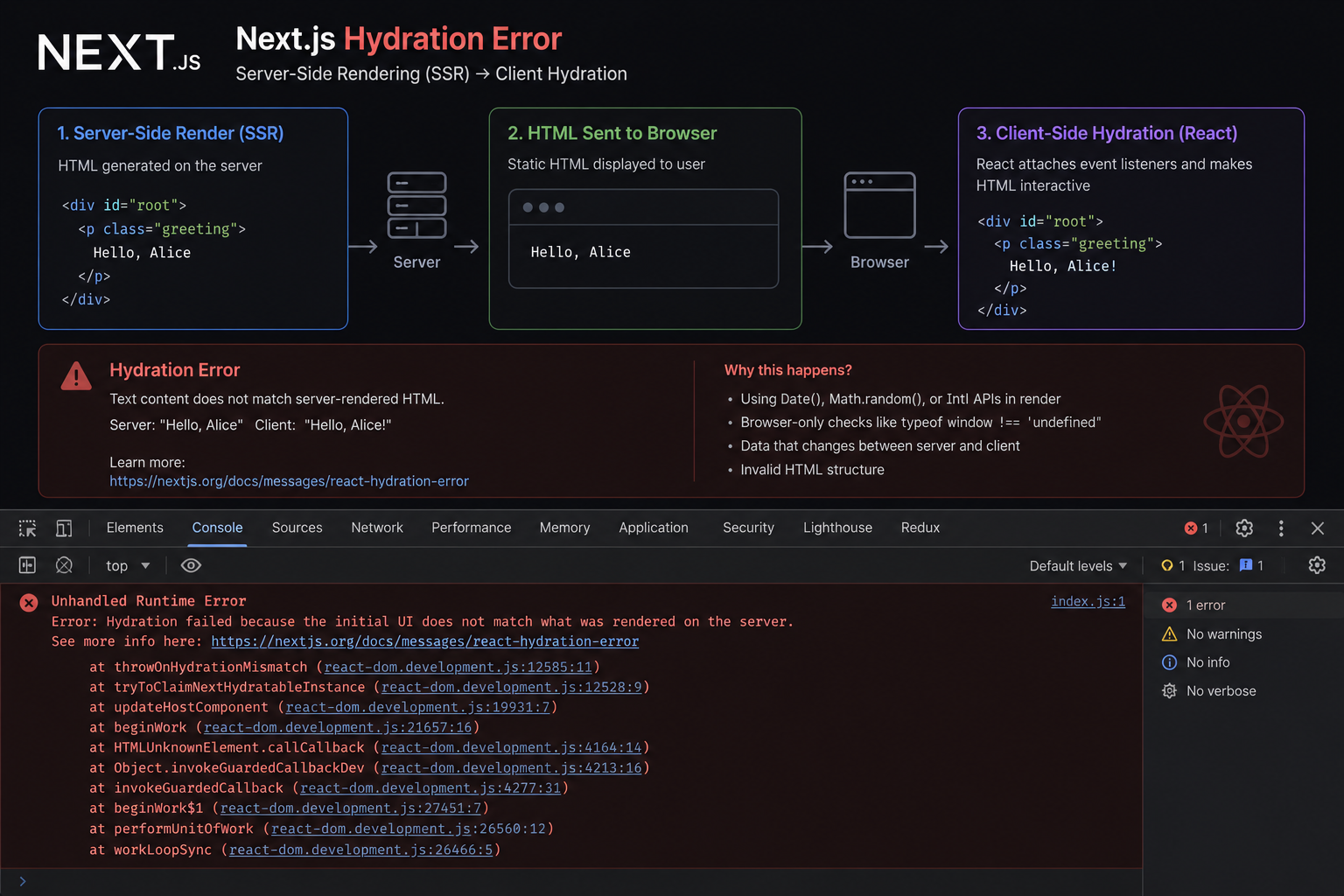
The SSR Error That Costs You the Entire Page
Text content did not match. Server: '8:00 AM' Client: '8:01 AM'." When React's hydration fails, it discards the entire server-rendered HTML and re-renders from scratch — destroying the performance benefit of SSR. Ebesoh Adrian explains why this happens and the architectural fix that prevents it permanently.
 Frontend Engineering
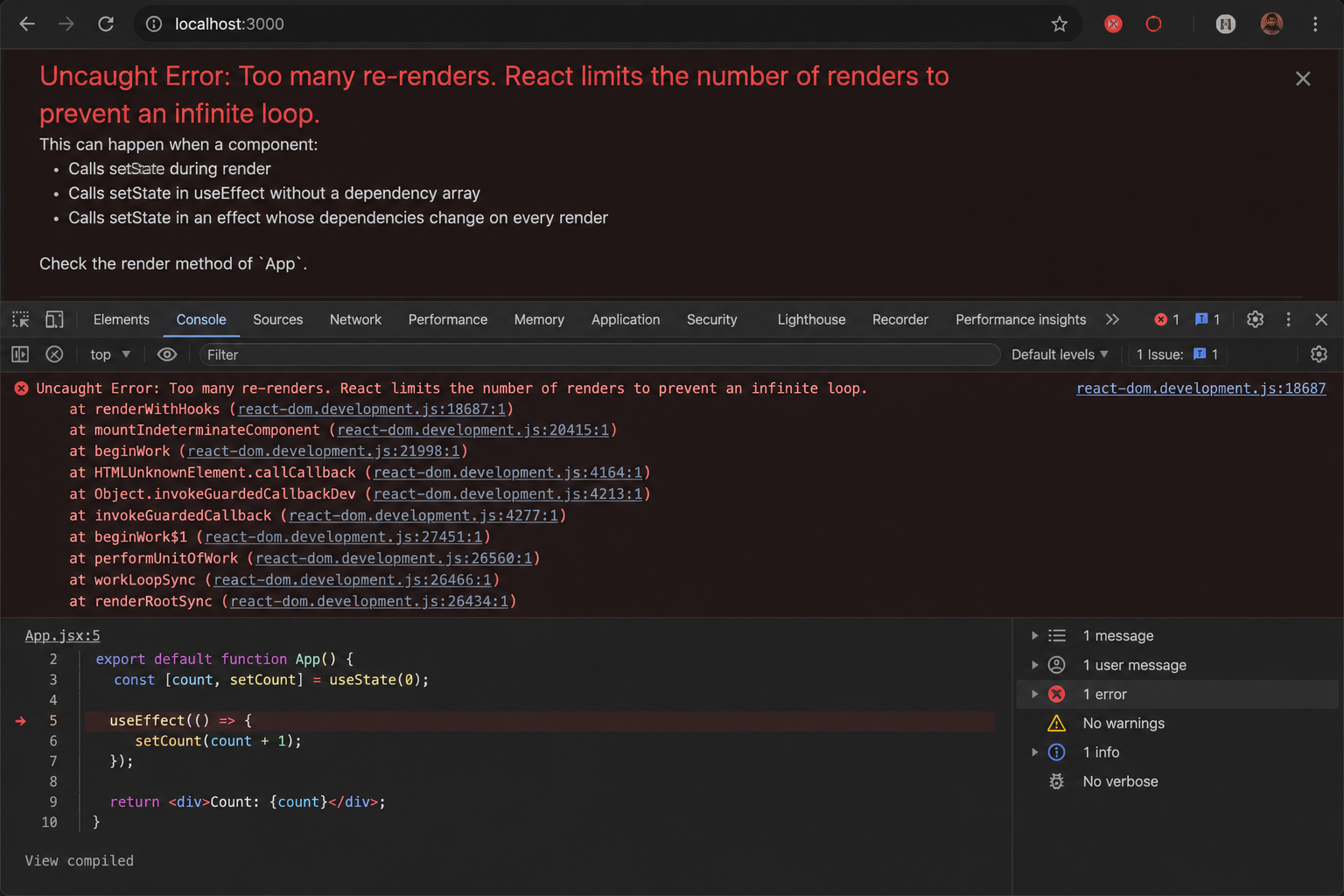
Why Your useEffect Is Firing 1000 Times
You checked your useEffect dependencies. They look right. And yet the component is re-rendering until the browser crashes. Ebesoh Adrian explains the hidden culprit — object reference instability — and the one hook that fixes it permanently.
 Guides / Tutorials (o…
How to Create Your Skilldera Account: A Step-by-Step Guide for African Creators, Affiliates, and Learners.
Ready to start selling on Skilldera? Here's a step-by-step walkthrough — from your first search to your live dashboard — covering sign-up, choosing your role, and setting up your creator storefront with Mobile Money payouts. No card, no stress — just MoMo. This guide walks you through creating your Skilldera account in minutes, whether you're joining as a Creator, Affiliate, or Student.